How this comparison works
Five United States cloud accounting tools sit behind most small-business shortlists: QuickBooks Online, Xero, Zoho Books, FreshBooks and Wave. Each is judged here on the same six criteria, and every pricing or feature statement traces back to the vendor's own pricing page, linked in each section and listed at the end. Nothing is ranked by commission, and no universal winner is declared, because the cheapest tool for a solo consultant sending twelve invoices a month is usually the wrong tool for a five-person shop holding inventory.
Prices move. Vendors run limited promotions, rename tiers, offer a lower rate for annual billing, exclude taxes, and reserve the right to change numbers at any time. So this comparison keeps two layers apart: the stable structure — how a vendor meters usage, what triggers an upgrade, what is billed separately — and the volatile layer — today's dollar figure. Read the structure here, then confirm the amount on the vendor page before you enter payment details.
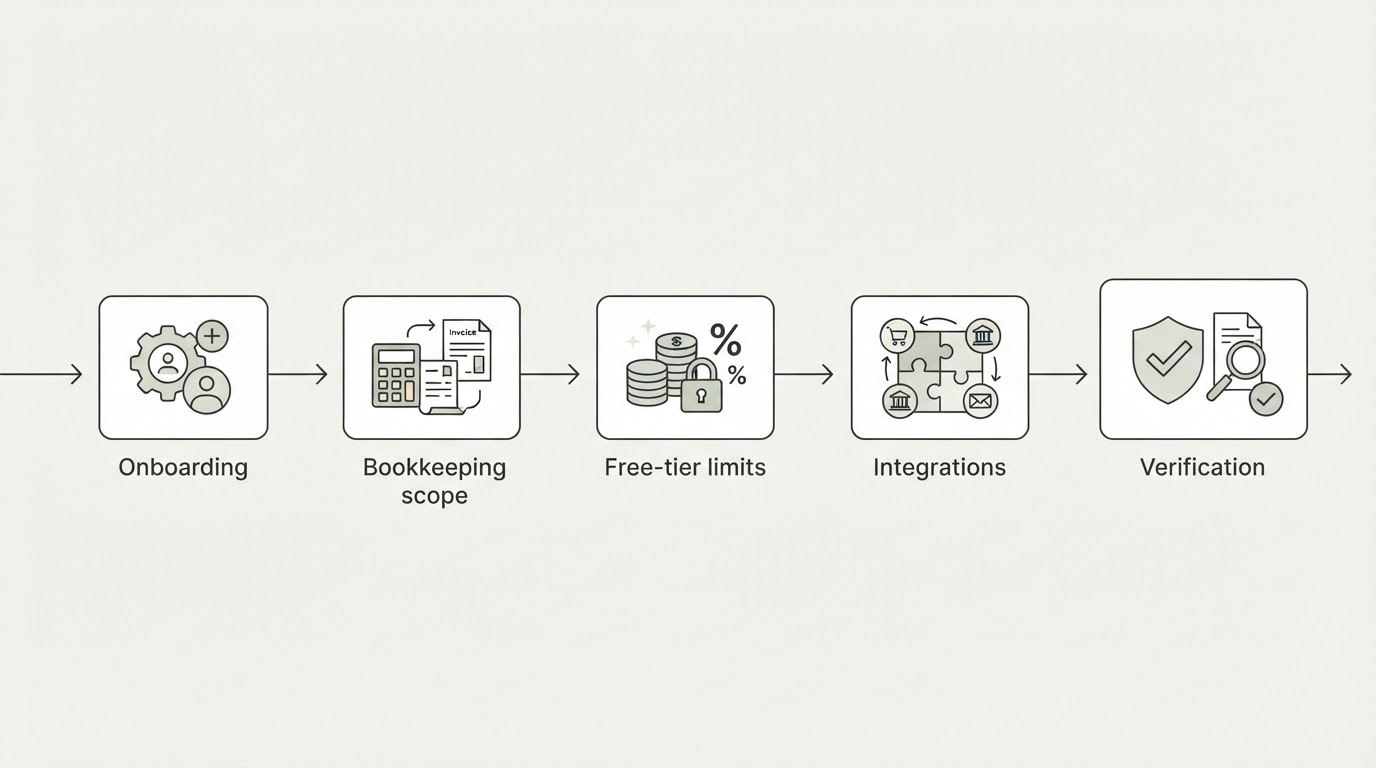
The six criteria that decide the shortlist
1. Onboarding effort. How much of setup is data entry versus automated import. Automatic bank imports and receipt capture turn "type in every transaction" into "review what was categorized." Some vendors include automatic bank import on every plan; others hold it for the paid tier, and that single difference decides the real first-month workload.
2. Bookkeeping scope. Invoicing is not bookkeeping. Check whether a plan produces double-entry accounting reports, supports bank reconciliation, and can hand a clean file to an accountant. FreshBooks, for instance, reserves double-entry accounting reports, bank reconciliation and accountant access for Plus and above.
3. Free tier versus subscription. A free plan is real software with real limits. The limit is what tells you when you will outgrow it: annual revenue, invoice count, client count, or the loss of automatic bank feeds. Write your own current numbers next to those caps before assuming the free tier will last the year.
4. Pricing structure. Vendors meter differently: per organization, per business, per client, or per user. A flat per-business fee can beat a lower headline plan that charges for every extra person. Billing period matters too — the same tier often costs less billed annually.
5. Integrations. Banks, payment processors, payroll, sales-tax filing, and e-commerce channels. The integration you need is frequently on the tier above the one you planned to buy, so check the specific gateway rather than the marketing summary.
6. Collaboration. Who else can log in: a partner, a contractor, a bookkeeper, an accountant. Accountant access is often a paid-tier feature, and per-seat charges scale quietly as a business grows.

The five tools at a glance
Tool | Free option | Entry paid tier, as published | Users included | Billing model | Confirm before buying |
|---|---|---|---|---|---|
QuickBooks Online | Free trial | Not quoted here — tiers named Plus and Advanced | Varies by tier | Subscription plus separately priced add-ons | Price, user limits and tier gates on the vendor page |
Xero | First month free, plus a new-customer promotion | Not quoted here — Early, Growing, Established | Set per plan | USD, taxes excluded, monthly auto-renewal | Current plan price, add-ons, payment fees |
Zoho Books | Free under $50,000 annual revenue | $15 per organization/month, billed annually (Standard) | 3 | Per organization; annual or monthly | Higher monthly-billing rate, add-ons |
FreshBooks | 30-day trial | $23/month (Lite) | 1; each extra team member $11/month | Per business, monthly | Billable-client cap and add-ons |
Wave | Starter, $0 | $19 per business/month (Pro) | Not charged per user | Per business, Pro billed to each business | Payroll add-on and card processing rates |
The two "not quoted here" rows are deliberate. Those vendors present current prices dynamically and state that pricing can change at any time, so the amount belongs on their page, not frozen in an article. QuickBooks Online's own pricing page names Plus and Advanced when it describes AI-assisted categorization and forecasting, and lists connected bill-payment workflows, industry job tracking and presentation-ready reporting as Advanced-only. Xero lists three US plans — Early, Growing and Established — notes that all prices are in USD and exclude applicable taxes, that subscriptions auto-renew monthly, and that moving to a cheaper plan is allowed one month after an upgrade.
Zoho Books: the most granular free-to-paid ladder
Zoho Books publishes six tiers, which is a genuine fit advantage and a genuine reading exercise. The free plan is not a trial: it stays available while revenue for the financial year stays under $50,000, with one user plus an accountant, up to 1,000 invoices and 1,000 expenses a year, bank reconciliation, a customer portal and email support. Standard, listed at $15 per organization per month on annual billing, adds bank feeds, sales-tax tracking, 1099 e-filing and API access for three users, with 5,000 invoices a year. Professional ($40) adds purchase and sales orders, multi-currency, timesheets, project profitability and inventory for five users. Premium ($60) adds budgets, cash-flow forecasting, custom modules and ten users. Elite ($120) adds advanced inventory control, warehouse and serial/batch tracking, and connections to Etsy, eBay and Amazon plus up to two Shopify stores. Ultimate ($240) adds advanced analytics for fifteen users.
Pros: a free plan with published, checkable caps; per-organization pricing rather than per-seat pricing; bank feeds and API access start on the first paid tier; inventory and marketplace integrations arrive at a mid-tier price instead of a top-tier price.
Cons: the six-tier ladder is easy to misread, and the caps are the tripwire — 1,000 invoices on the free plan, 5,000 on Standard. Extra users cost $2.50 per user per month on annual billing (higher monthly), and add-ons such as locations ($10), expense claims ($7), document autoscans ($8 per 50 scans) and BillPay ($59) are priced separately and are not available on the free plan.
Wave: free bookkeeping paid for by payments
Wave's Starter plan costs nothing and still includes unlimited estimates, invoices, bills and bookkeeping records, with card payments at 2.9% plus $0.60 per transaction. Pro, at $19 per business per month, adds automatic bank transaction imports, auto-merge and categorization, unlimited digital receipt capture and automated late-payment reminders, and drops the per-transaction fixed fee to zero for the first ten transactions in each monthly period. Payroll is a separate add-on, and Wave Advisors — a bookkeeper-assisted service — starts at $149 per month. The Pro fee is charged per business, not per owner, so an account holding three businesses on Pro pays three times.
Pros: the free tier is real double-entry bookkeeping rather than a demo; unlimited invoices and bills at $0 remove the volume caps that hit growing service businesses on other platforms; the Pro plan is priced per business instead of per person.
Cons: automatic bank imports — the feature that removes most manual work — sit behind the $19 Pro plan, along with receipt scanning and support. Card-heavy businesses pay 2.9% plus $0.60 on Starter, and the Pro discount only removes the fixed fee on the first ten transactions each month, so it is worth roughly $6 a month against a $19 subscription; the real reason to upgrade is the automation, not the fee. Payroll and advisor services are additional.
FreshBooks: priced by billable clients
FreshBooks meters by billable clients rather than users: Lite at $23 per month covers 5 clients, Plus at $43 covers 50, Premium at $70 is unlimited, and Select is quoted individually. Automated bank import is available across the plans, and every plan supports unlimited invoices, estimates, expenses and time tracking. The paid gate is the accounting layer: double-entry accounting reports, bank reconciliation, accountant access and automatic receipt capture begin at Plus. Add-ons are explicit — $11 per month for each extra team member, $20 per month for Advanced Payments, and payroll at $40 per month plus $6 per user. FreshBooks advertises a 30-day free trial, a 30-day money-back guarantee, and a solopreneur promotion of $1 per month for the first year; migration assistance with Easy Switch is listed on Select.
Pros: client-count pricing matches how many service businesses actually grow; automated bank import on the entry plan; unlimited invoicing on every tier; invoicing, proposals, retainers and ACH payments live in one place; clear published add-on prices.
Cons: the 5-client cap on Lite is tight for anyone with an occasional client list, and the accounting layer you may need for taxes starts at $43. Extra team members are per-seat, and payroll adds both a base fee and a per-user fee, so a three-person business should add those numbers before comparing headlines.
Xero: three plans, monthly terms, price risk
Xero's US page lists Early, Growing and Established, with all prices in USD excluding applicable taxes, monthly auto-renewal, and a stated rule that you can move to a less expensive plan one month after an upgrade. Standard ACH payments are included on all three plans, with payment fees applying to other payment methods, and add-ons, usage and payment fees sit outside the subscription and outside any promotional discount. New US customers are offered a promotional rate — 90% off for the first six months with a specific code, until 30 September 2026 — which reverts to the regular price afterward, and the first month is free.
Pros: a small, legible plan structure instead of a six-tier ladder; included standard ACH payments on every plan; a published, dated new-customer discount rather than an opaque negotiation; a stated window for stepping down a plan.
Cons: the page explicitly reserves the right to change pricing at any time, so the number you see is not a commitment for next quarter; taxes are excluded from the listed prices; promotional terms exclude add-ons, usage and payment fees; and downgrades are not immediate, which matters if a busy season passes.
QuickBooks Online: the widest feature range, the least transparent gate
QuickBooks Online is sold as tiered subscriptions, and its pricing page markets capability rather than a flat price: what-if scenario modelling, categorization that learns from your patterns, connected bill-payment workflows with approvals, job tracking by industry, and presentation-ready reports. The tier labels matter because the page marks AI categorization and forecasting as Plus-and-Advanced features, and reserves connected workflows and industry reporting for Advanced. A free trial is offered for new customers.
Pros: the deepest feature set here for businesses that want automation to expand as they grow, with forecasting and categorization at Plus and Advanced; strong fit for project- and trade-based businesses that need job tracking; a low-friction trial.
Cons: the gate is not obvious from the top of the page — several of the capabilities that make the product attractive sit on Plus or Advanced, not the entry tier, and the page is promotional rather than plainly declarative. Treat the tier table, not the headline, as the buying document, and check the user limits and add-on pricing before you choose a tier.
Pick by scenario, not by ranking
Solo service business, minimal bookkeeping, minimum spend. Wave Starter at $0 if you can live with manual bank imports, or Zoho Books Free if annual revenue stays under $50,000 and invoice volume stays under 1,000 a year. Both keep a real set of books rather than a spreadsheet.
Freelancer whose business is client invoicing. FreshBooks if proposals, retainers and per-client billing are the daily work — accept the Plus tier so reconciliation and accountant access are included — or Zoho Books Standard at $15 per organization per month on annual billing if bank feeds matter more than branded proposals.
Small team that must share one set of books with an accountant. Price it per person. FreshBooks charges $11 per extra team member on top of its client-capped plans; Zoho Books includes three users on Standard, five on Professional and ten on Premium; Wave does not charge per user; Xero sells by plan, so compare the plan that matches your user count.
Product, inventory or project business. Zoho Books Professional and above, where purchase orders, inventory, multi-currency and project profitability arrive; or QuickBooks Online Plus and Advanced for inventory, project profitability and industry job tracking.
Business that grows by invoice volume. Watch the caps rather than the price. Zoho Books moves from 1,000 to 5,000 to 10,000 to 25,000 invoices a year as you climb its ladder. An uncapped plan such as Wave's free Starter can be cheaper at high volume than a low-tier plan with an invoice ceiling.
Card-heavy service business. Compare processing fees before the subscription. Wave Starter charges 2.9% plus $0.60 per card transaction, and Pro reduces the fixed fee only for the first ten transactions each monthly period, so the upgrade should be justified by automation and not by fee savings alone.
Verify-before-you-buy checklist
Work through these checks in order before you enter payment details. Each one has changed a buyer's plan choice after the comparison table already looked settled.
- Open the vendor's own pricing page and confirm the exact plan name you will be billed on — not the promotional name at the top.
- Check the billing period. Zoho Books, for example, shows different rates when you toggle between annual and monthly billing.
- Check whether the price includes tax. Xero states plainly that its USD prices exclude applicable taxes.
- Check the promotional end date and what the price becomes afterward. Xero's new-customer offer runs six months and reverts to the regular price; FreshBooks advertises $1 per month for the first year for solopreneurs.
- Check the billing unit: per organization (Zoho Books), per business (Wave), or per client and per seat (FreshBooks).
- Add the add-ons you already know you need — extra users at $2.50 to $3 per user per month on Zoho Books, $11 per team member on FreshBooks, payroll at $40 per month plus $6 per user on FreshBooks, and W-2 payroll as a separate Wave add-on.
- Confirm your must-have feature is not gated: automatic bank imports on Wave require Pro and on Zoho Books require Standard, while FreshBooks keeps reconciliation and accountant access on Plus and above, and QuickBooks Online places several automation features on Plus and Advanced.
- Confirm the integrations you depend on, including payment processors, payroll providers and sales channels. Zoho Books lists Etsy, eBay, Amazon and up to two Shopify stores on Elite; if a marketplace connector is the reason you are choosing a vendor, verify the channel list on the vendor's own integrations page rather than a comparison article.
- Confirm migration support and the exit path. FreshBooks lists Easy Switch migration assistance on Select, and Xero allows a plan downgrade only one month after an upgrade.
What changes fastest in this category
Pricing is the least stable fact in this comparison, and vendors update it more often than they update features. Two of the five tools here publish prices dynamically and reserve the right to change them; two others package their entry price inside a limited-time promotion that ends long before the subscription does. The structure in this article — how each vendor meters usage, which tier unlocks bank feeds, reconciliation, accountant access or inventory — will outlive the amounts. When you revisit this comparison, re-check the amounts on the five vendor pages linked above, and treat any figure more than a quarter old as unverified.
If you take one rule away: choose the tool by naming the number that will force your next upgrade — clients, invoices, users, inventory items or card transactions — and pick the plan that leaves headroom for twelve months of growth at that limit. Cloud accounting software for small business is not a category with one correct answer; it is a category where the wrong limit costs more than the wrong logo.