Start With Your Exact Model and Manual
A steam wand that goes quiet right after a descale is a narrow problem, and the safe steps depend on which machine you own. Breville sells these espresso machines under both the Breville and Sage names, and the Barista Express, Barista Pro, Barista Touch, Touch Impress, and Bambino families do not share the same descale routine or steam controls.
Before changing anything, find your model number and open that model's official instruction book. The checks below follow the US/Canada Barista Express BES870/BES870XL instruction book, and they apply only to machines that match it. If your model is different, use the equivalent "Descaling", "Using the Steam/Hot Water Dial", and "Cleaning the Steam Wand" sections in your own manual.
Why Steam Can Stop Right After a Descale
The BES870 manual treats descaling as a sequence with separate passes, not a single button. Three details explain most post-descale steam surprises.
The steam pass is its own step. The BES870 manual describes separate coffee, steam and hot-water passes, followed by a fresh-water rinse. Follow its sequence and your model's indicators rather than transferring a button sequence from a different machine. Stop partway through and the steam path may not have received its descale pass or its rinse.
Descale mode can end by itself. The manual notes that the machine switches off if there is no action for five minutes in descaling mode, and it tells you to resume by starting again from the priming step. An interrupted descale is easy to miss.
The wand is a separate mechanical path. In the manual's troubleshooting table, "No steam" has six listed causes: the machine has not reached operating temperature, the water tank is empty, the tank is not fully inserted and locked, the machine needs to be descaled, the steam wand is blocked, or the dial is not completely rotated to STEAM. Descale is one listed cause; the manual does not say that descaling damages the machine.
Safe Checks, In Order
1. Check Whether You Are Still in Descale Mode
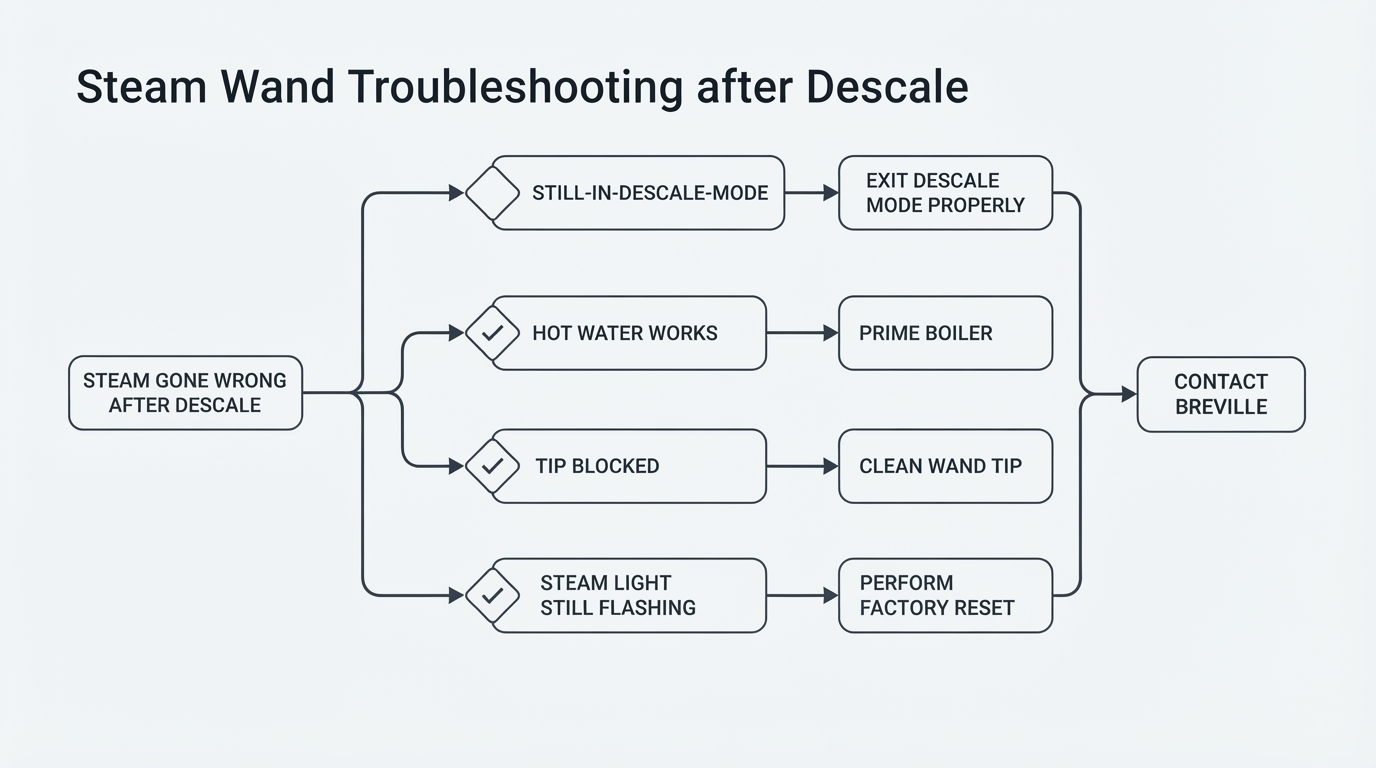
The machine is ready for descaling when the POWER button, 1 CUP button, CLEAN/DESCALE indicator, and HOT WATER/STEAM indicator are all lit solid. If that is what you see, the descale has not been completed. Resume from the manual's priming step and work through all three passes until the tank is empty, then do the fresh-water rinse pass. Keep the water tank in place the whole time: the manual warns that it should never be removed or completely emptied during descaling.
2. Confirm the Descale Finished and Rinsed
If the descale was interrupted, or you exited it early because steam was the next thing you wanted, the steam pass or the rinse may not have run. Re-enter descale mode and complete the full sequence for your model, including the rinse with fresh water. Until that is done, do not brew or drink anything that may contain descaling solution.
3. Let the Machine Reach Steam Temperature
Turn the STEAM/HOT WATER dial fully back to STANDBY, then fully to STEAM, and wait. The STEAM/HOT WATER light flashes while the machine heats. Condensed water purging from the wand during this time is normal, and the pumping noise is normal too. Wait until the light stops flashing before you judge the steam.
4. Check the Tank and the Dial
Fill the tank with cold water and push it down completely until it locks into position. Then make sure the dial is completely rotated to the STEAM position; a dial resting between positions may not select the function at all.
5. Test the Hot Water Outlet
The same dial selects both functions: left for hot water, right for steam. Hot water pours from the dedicated hot water outlet, not from the steam wand. If hot water flows normally from its outlet while the wand gives nothing, the dial and the heating path are at least producing hot water, which narrows the manual-listed candidates toward the steam pass and a blocked wand. Treat that as an owner-level clue, not a diagnosis.
6. Clean the Steam Tip
The manual's blocked-wand procedure is owner-serviceable:
- Return the dial to STANDBY, switch the machine off, and let the wand cool completely. Unplug the machine before you handle the tip.
- Wipe the outside of the wand with a damp cloth.
- Use the pin on the end of the supplied cleaning tool to push through each hole in the tip.
- If the holes stay blocked, remove the tip with the spanner built into the same cleaning tool, soak the tip in hot water, run the pin through the holes again, and reattach it securely.
- Point the wand over the drip tray and run one brief steam purge to confirm the flow.
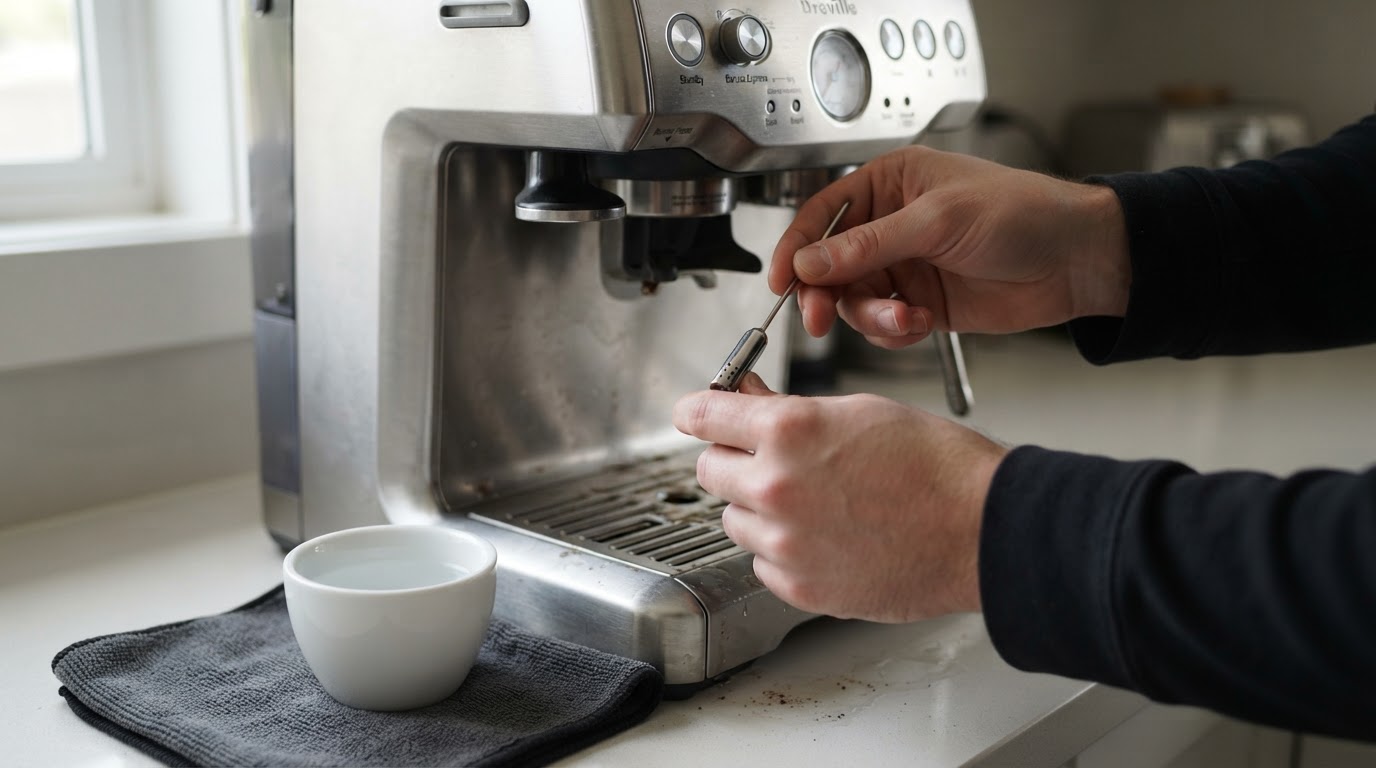
Wiping the wand and briefly purging it after every milk texture is what keeps this from happening again.
7. Rule Out the Easy Steam Behaviors
- Weak or dying steam: a partly blocked tip is one of the manual's listed causes; clean it before you assume anything bigger.
- Steam that quits after about five minutes: the machine disables steam after five minutes of continuous steaming and the light flashes. Return the dial to STANDBY to reset it.
- Pause that never resumes: returning the dial to STANDBY pauses steam for only eight seconds. After that, select STEAM again.
- Scale: the manual lists descaling as a cause of reduced steam, reduced brewing temperature, and reduced machine power. If the CLEAN/DESCALE light is lit solid, descaling is due. A light that is flashing is the separate cleaning cycle, not a descale. Replacing the water filter as scheduled - every two months, and more often in hard water - slows scale build-up.
8. Know When You Are Done
You have finished the safe checks when the machine has exited descale mode, has fresh water, and the wand delivers steam normally after the initial purge. If steam is still missing or arrives only as water, stop there and contact Breville rather than opening the machine.
Symptom to Next Safe Check
What you see | What it usually means | Next safe check |
|---|---|---|
Descale indicators all lit solid | The descale sequence is still open | Resume from the manual's priming step; complete all three passes and the fresh-water rinse |
Descale ended early, or the machine shut off mid-cycle | The steam pass or the rinse may not have run | Re-enter descale mode, finish the sequence, then rinse with fresh water |
Hot water pours from its outlet, steam wand gives nothing | The dial and heating path work on the hot-water side | Finish the steam pass, then clean the tip; if nothing changes, contact Breville |
STEAM/HOT WATER light keeps flashing | The machine is still heating, or the dial was left off STANDBY when powered on | Wait for the light to stop; confirm the dial is fully at STEAM |
Steam runs, then quits after about five minutes | The built-in steam time limit | Return the dial to STANDBY to reset, then steam again |
The wand spits only water, or water then nothing | The brief condensed-water purge is normal; no dry steam after warm-up is not | Stop and contact Breville support |
Steam is weak even after a completed descale and a cleaned tip | Past owner-level checks | Contact Breville; do not open the machine |
What Not to Do
- Do not open the machine, bypass pressure, or run button sequences you cannot verify in your own model's manual.
- Do not run the cleaning-tablet cycle and call it a descale; the manual keeps the two cycles separate, and the light's behavior tells you which one is due.
- Do not remove or completely empty the water tank during descaling.
- Do not brew or drink while descaling solution may still be in the system; rinse with fresh water first.
- Do not force oversized tools through the steam-tip holes; you can change the steam pattern.
- Do not assume descaling caused the failure, and do not treat a service-level fault as something a home fix will solve.
When to Contact Breville
If the wand still gives no steam - or only water - after a completed descale, a full fresh-water rinse, a full and locked water tank, a dial fully at STEAM, and a cleaned tip, contact Breville consumer support for your region with your model and serial number ready. They can confirm what your model's behavior should be and whether service or warranty applies. Persistent failures belong with Breville, not with an opened housing.
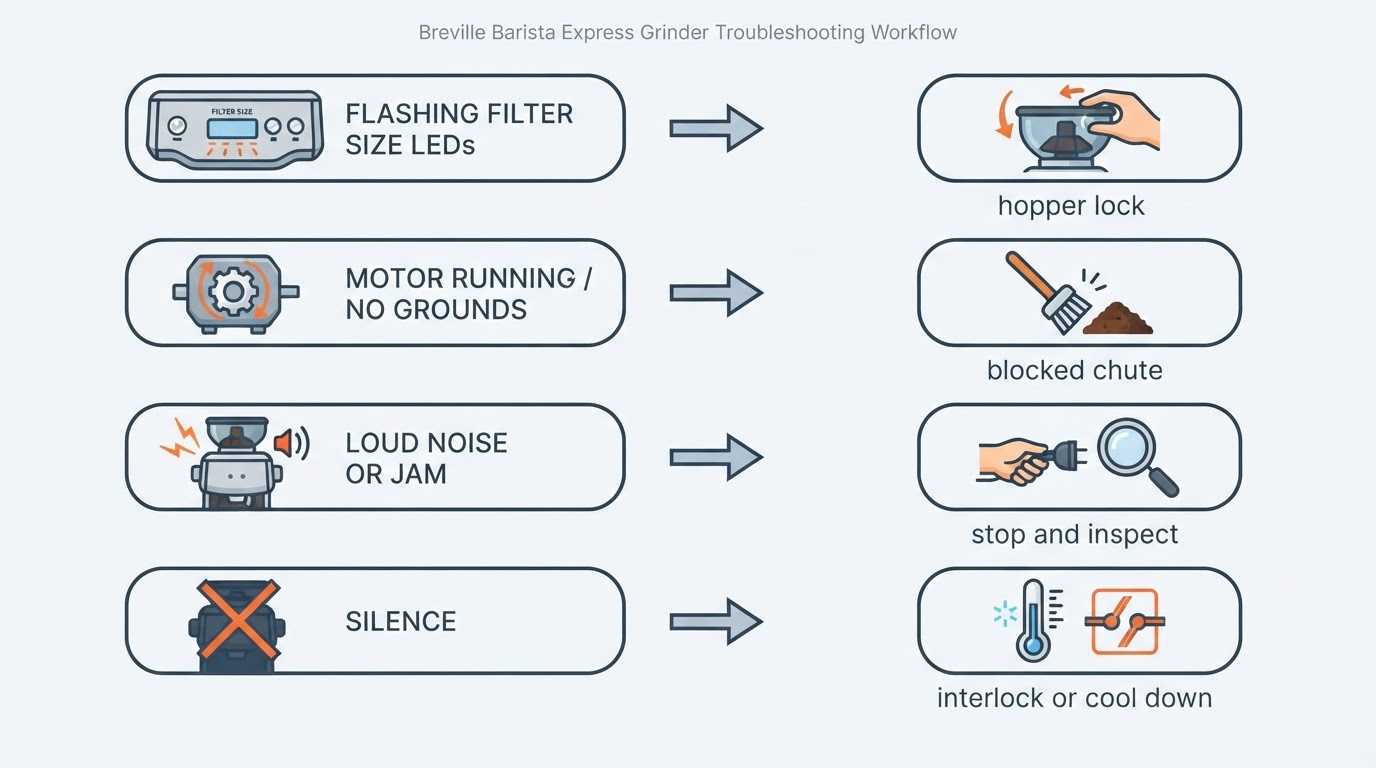
If the machine also shows brewing-pressure symptoms after maintenance, use our separate low-pressure-after-cleaning guide. A grinder that stops is another distinct issue covered in our Barista Express grinder guide; neither symptom proves a steam-system fault.